# Support
Support services are available through the Support page. Our normal hours of operation are 9:00 AM to 5:00 PM Eastern Time, Monday through Friday.
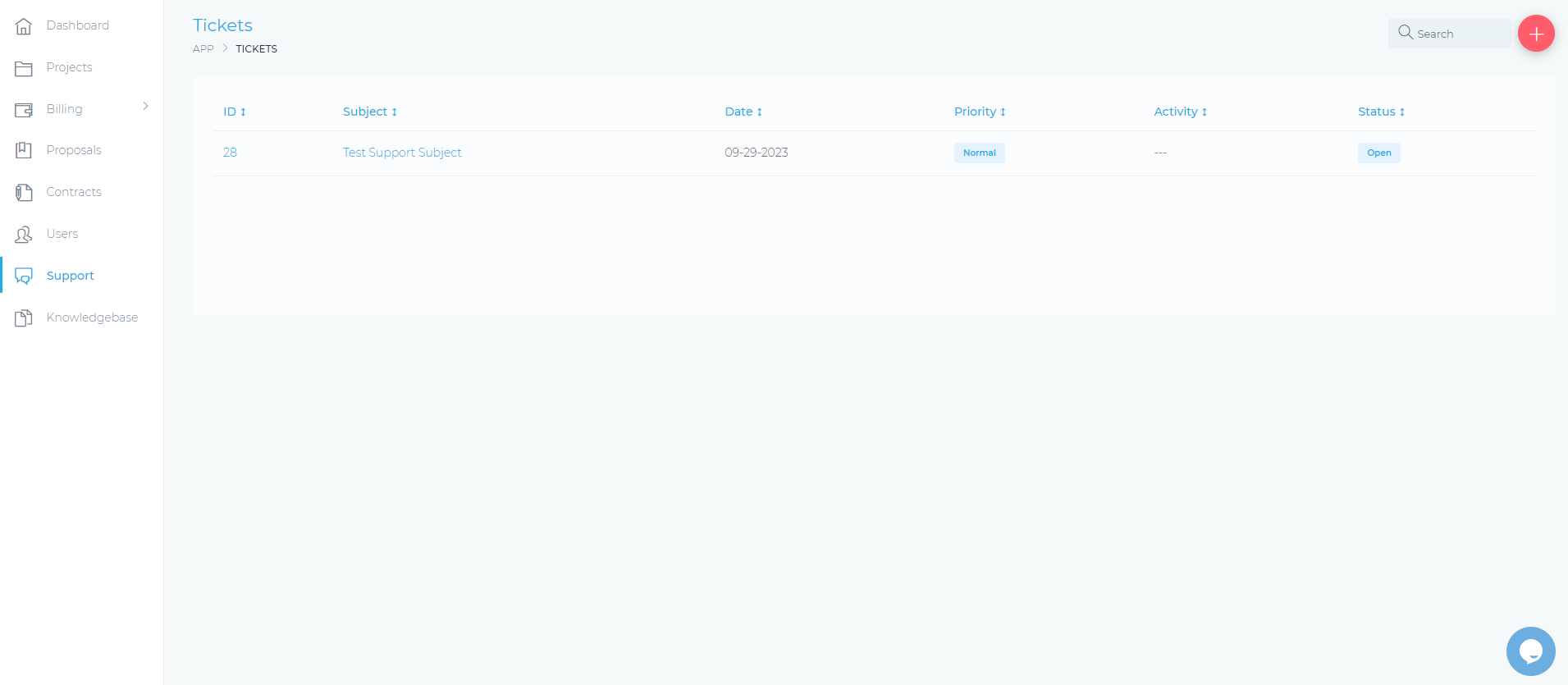
Figure 1. The Support page
The following are the columns that appear in the Support page:
- Subject: This column shows .
- Date: This column shows the date when the ticket was created.
- Priority: This column shows the priority of the ticket according to our Service Level.
- Activity: This column shows the date and timestamp of the ticket’s latest activity log.
- Status: This column shows the current status of the request.
The following are the types of status:
- Open: The ticket is currently being worked on by the design team.
- Answered: The support team has responded to the ticket.
- On Hold: The ticket has been temporarily suspended.
- Closed: The ticket has been resolved.
Action: In this column, you can perform the following:
- View icon: Click to view the details of the ticket.
# Tickets
To submit a support ticket, follow these steps:
- Click on the Add button at the upper-right corner of the Support page.
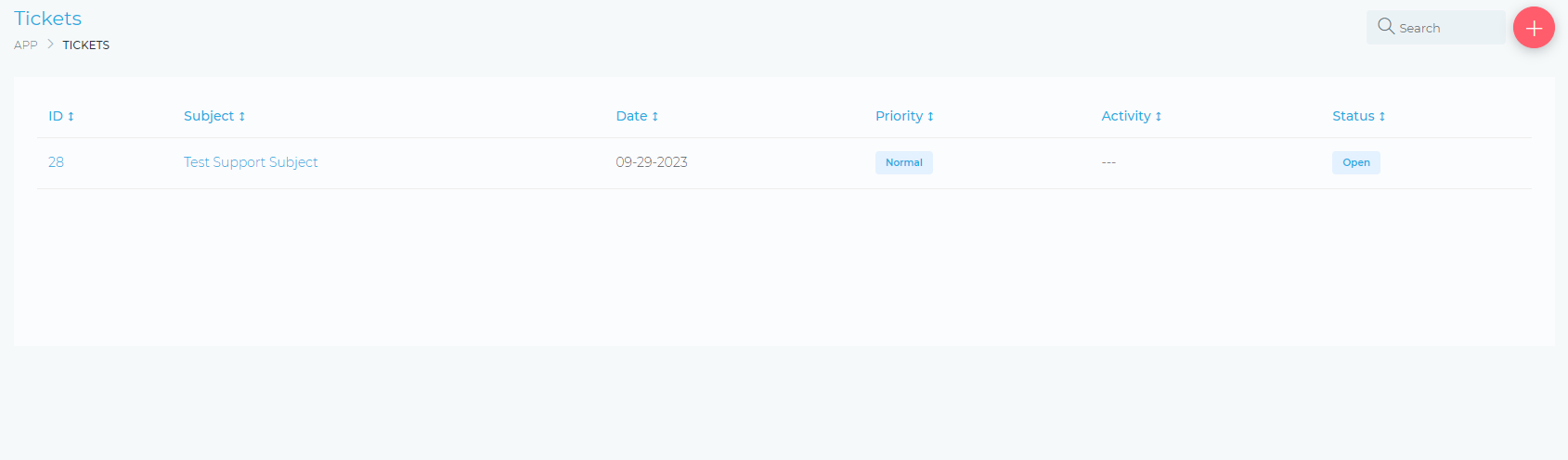
Figure 2. Click on the Add button at the upper-right corner of the Support page.
- In the CREATE NEW TICKET page, you can perform the following:
Ticket Options pane:
Department: Select the applicable department from the drop-down list.
Project: Select which product you are encountering an issue with.
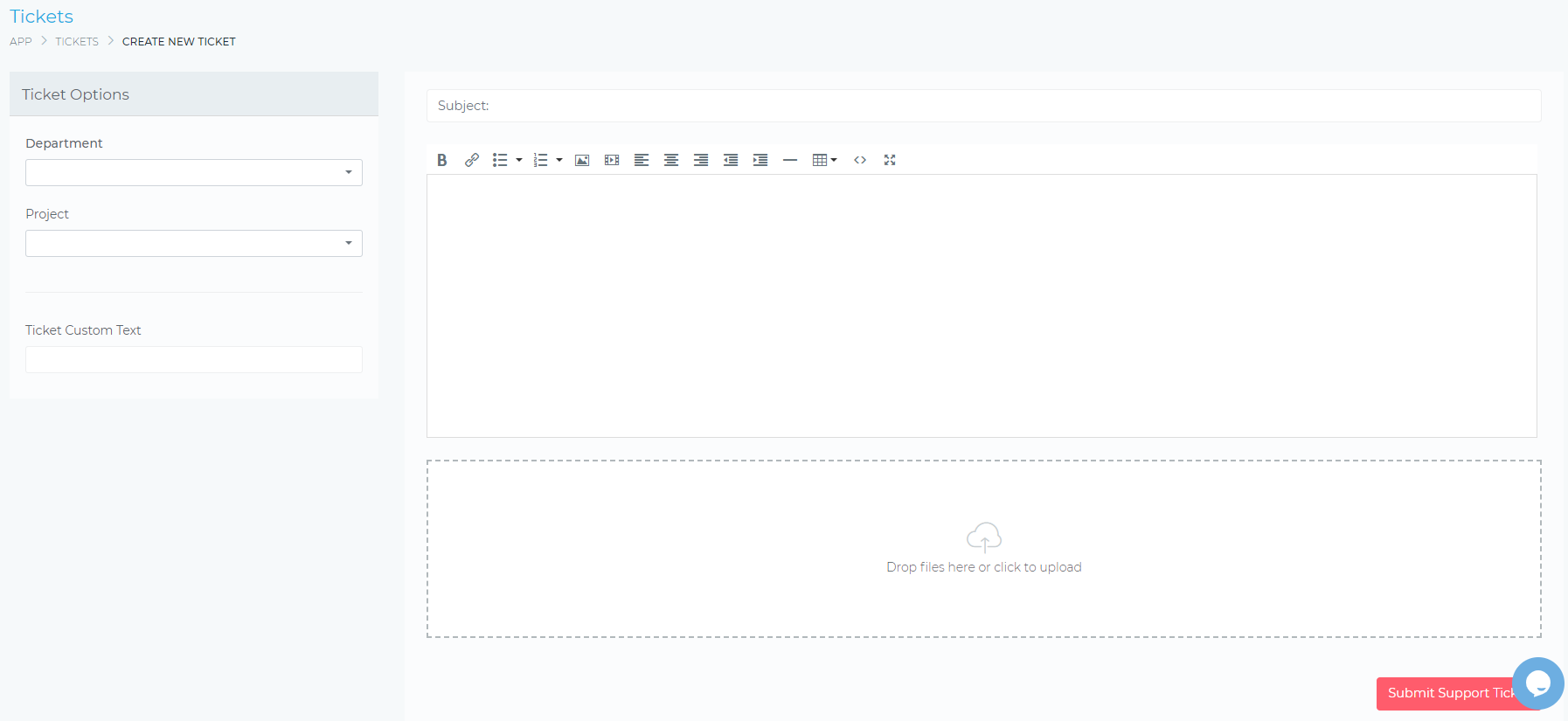
Figure 3. The CREATE NEW TICKET page
# Service Level Targets
Any incidents will be accommodated in order of severity and the priority will determine the response and resolution time.
| Priority | Severity | DEFINITION | Maximum Response Time | Maximum Resolution Time |
|---|---|---|---|---|
| P1 | Critical | Incident/defect causes immediate and significant productivity impact to service operation. No reasonable workaround to remediate issue. Examples: Unplanned application outage, All RAXWireless CRM functionalities are not accessible | Within 30 minutes from incident discovery | 1 Business Day |
| P2 | High | Service is available but there is no reasonable workaround to remediate the issue immediately. Example: RAXWireless CRM is up but some features are not accessible. | 2 Business Days | 2 Business Days |